Changelog

Optible's Rank & Explanation now shows its work
Open an application's Criteria tab. Under each Rank & Explanation there's now a source count. Expand it and you see what the rank was based on: the questions the applicant answered, and the documents they uploaded.
Click a source and it opens where you already are. A form answer scrolls into view and highlights. A document opens in the viewer on the right page, with the cited passage highlighted. Nothing opens in a new tab, so you don't lose the reasoning you were reading.
The evidence gets checked, too. If an answer was edited or a document replaced after the assessment ran, that source is flagged rather than dropped. A Rank & Explanation that has drifted from what it cited will say so, instead of looking better supported than it is.
So you can follow any rank back to the sentence or the page it came from.
Private notes, in your browser only
There's a notes panel now, which opens from any page. Write what you need while you assess. It's encrypted and stored in your browser, never sent to our servers, and nobody else can read it, including anyone else using the same browser profile.
Drag it where you want. Make it bigger for longer notes. It survives signing out and back in. Clear your browser data and the notes go with it. The panel says so up front.
What's New
A support menu worth finding. The old help icon was easy to miss. It's now a panel with service status, help-centre search, chat and release notes, plus articles suggested for the page you're on.
Support chat for applicants. Applicants can start a conversation without being sent off to a separate site.
Review before submitting. Applicants get a full read-back of their answers before they submit, and can go back and fix anything.
Document reuse. Applicants can attach a file they've already uploaded instead of uploading it again for every application.
Page-level conditions in forms. Conditional logic used to work on single fields. It now works on whole pages as well.
Sections in the form builder. Group questions into a named section and treat it as one unit.
Grouped conditions. Rules like (A and B) or (C and D), instead of one flat list.
Row limits on multi-column inputs. Cap how many rows an applicant can add.
Improvements
Headings render properly in Enriched analysis, instead of showing literal hash marks.
Re-running an Enriched field keeps the old value and its citations as history rather than overwriting it.
Enriched web-search fields now finish a full research pass, so they come back with more depth and more citations.
Submitting a large batch of applications no longer overloads document processing.
The PDF engine behind the document viewer has been upgraded.
Bug Fixes
Cited passages are matched against the text as displayed, so highlights land on the right words in awkwardly formatted documents.
The applications list no longer skips or repeats rows when applications share a submission time.
Three fixes to the assessor view: a hidden Optible ranking score was showing in the application list, the requested amount showed as $0, and assessors couldn't see peer rankings.
A required question that only appears after a correction round can now be answered, and evaluators can see it.
Applicants no longer get stuck on an endless spinner when signing in.
Data extracted from an attachment links back to its source.
An email notification that had stopped sending works again.
Dates render correctly on client forms.
Paragraph spacing carries over from the form builder to the live form.
The Pull button keeps its label on narrow screens.

Optible can now research applicants for you. When an application comes in, a Web Agent automatically searches the web to build a clear picture of the organisation behind it — confirming it's real, summarising what it does and its recent activity, and checking details like registration or charity status. You decide what each agent looks into, from a broad overview of the organisation to a specific check, such as confirming a registration number matches the public record. Every finding comes back written in plain language with a list of the sources it drew from, each one a link you can open and check yourself, so nothing is a black box. The research happens quietly in the background as applications are processed, giving your team richer context on every applicant without any manual digging — and without ever leaving Optible.
What's New
Sign in with a passkey. Passkeys are now available as a multi-factor authentication option — verify it's you with Face ID, a fingerprint, or your device PIN instead of typing a code. Quicker to sign in, and harder to phish.
Admins can reset MFA. Team admins can now reset a member's multi-factor authentication from within Optible, so a lost or replaced device is sorted in seconds without contacting support.
More complete evidence for every document check. When Optible validates a document, each result can now cite several supporting sources instead of just one, capturing every place in the paperwork that backs up a finding.
Jump straight to the source. Click any citation and Optible opens the exact document it came from, so you can verify a finding in a single click.
Editable Word reports. Export the application analysis report as a Word (DOCX) document, ready to refine, brand, or share with your team.
Improvements
A cleaner grants list. We've tightened up the grants list so it's easier to scan and makes better use of the screen.

Your whole grant round, at a glance and always current. Dynamic Reports builds live, interactive dashboards straight from your application data, so you can track committed funding, pipeline and regional outcomes, drill into any stream, and answer "how are we tracking?" in seconds instead of exporting to a spreadsheet. Every program gets its own dashboard, configured to show exactly what matters for that round.
Improvements
Assessment UI polish: claim form shown when starting an assessment, attachments open in a modal on smaller screens, details shown without the accordion, and cleaner repeatable-field rendering.
New multi-value filter using an "IN" condition.
Bug Fixes
Fixed sidebar quick filters not syncing / being cleared when moving between an application and its progress reports.
Fixed filter operator not being saved.
Fixed a broken control on multi-column inputs and a minor input-component rendering issue.

Optible is now available on US servers. Organisations in the United States can run on infrastructure hosted in the US West region, with data staying in-region. This month also brought Enriched Fields — derived values that run automatically as part of assessment — along with a rebuilt document validation experience with structured results and interactive PDF citations.
What's New
US servers — Optible now runs on US-hosted infrastructure for US customers. Data stays in-region.
Enriched Fields — automatically derive new values from application answers, uploaded documents, and assessor inputs during assessment. Configured per grant program in settings.
PDF citations in document validation — each validation result now includes a link that jumps directly to the relevant section of the uploaded PDF.
990/EIN verification for US organisations — US applicant organisations can now be verified via their IRS 990/EIN number, with a full detail view matching the ABN and charity lookups.
Prefilled status forms — status change forms can now be configured to auto-fill from existing application data.
Weekly email summary for assessors — assessors receive a weekly digest of new applications, status changes, and outstanding reviews.
Structured document validation — requirements, extracted evidence, and citations are now displayed in a structured layout within the validation results.
Cross-document discrepancy detection (preview) — document validation can now flag when information in an uploaded document doesn't match what the applicant stated in their form.
Program listing page — a new public-facing page shows active grant rounds, with a dedicated start-application page for each program.
Improvements
Document validation re-runs automatically when a new file is uploaded — no need to trigger it manually.
Enriched Fields can draw on values extracted from uploaded documents as inputs.
Progress report warning notes are now included when searching across applications.
The criteria settings page has been reorganised with separate tabs for application criteria and post-award report criteria.
Bug Fixes
Fixed sidebar filters being cleared when navigating between an application and its progress reports.
Fixed an issue where syncing with an external system could overwrite the Observations and Recommendations fields.
Fixed application history showing a placeholder instead of the actual user's name on some entries.
Fixed duplicate draft applications being created in some cases.
Warnings now work differently. Critical warnings (eligibility-blocking) and normal warnings (informational) are visually separated and handled differently in the assessment workflow. This was a frequently requested change for programs with strict eligibility rules.
What's New
Critical and normal warnings — warnings are now split into two types. Critical warnings are eligibility-blocking and shown in red. Normal warnings are informational and don't affect eligibility. Assessors can see the reasoning for each eligibility criterion directly in the sidebar.
Exportable application lists — approved, referral, and rejected application lists can be exported as CSV or Excel from the reports page.
Progress report type management — grant administrators can configure multiple post-award report types per program (e.g., quarterly progress, final claim) from a new settings page.
Document validation on progress reports — documents submitted with progress reports are now validated, not just documents on initial applications.
Separate scoring criteria for post-award reports — different scoring criteria can be configured for initial applications versus progress reports and claims.
In-app support chat — support is now accessible directly inside the application.
Criteria score filtering — criteria group scores can now be used as filter dimensions when browsing the application list.
Error-type filtering in batch view — the batch processing sidebar can now be filtered by specific error types, making it easier to triage issues.
Improvements
Post-award report pages now show documents, warning notes, and a re-assess button scoped to that specific report.
Application detail screens now show assessment results (scores, warnings, document checks) before form content.
The Rankings tab is now the default view when opening an application.
Bug Fixes
Fixed Smart Insights not returning results for some applications.
Fixed archived applications not appearing in the application list or search.
Fixed eligibility warnings not clearing after an applicant's eligibility status was updated.
Fixed ABN verification hanging indefinitely when an invalid ABN was entered.
Fixed scoring values displaying incorrectly on some applications after a re-assessment.
Fixed sidebar filters being cleared when opening or closing a post-award report page.
Claims and post-award reports shipped as a complete end-to-end workflow. Grantmakers can now manage the full post-approval lifecycle — from progress report submissions through to reimbursement claims — without leaving Optible.
What's New
Claims and post-award reports — a full end-to-end workflow for managing reimbursement claims and ongoing progress reports. Includes a list view, detail page with tabs for expenditure, evidence, and forms, an assessor scoring panel, document viewer with automated verification, and an applicant-facing submission portal.
Command palette — press a keyboard shortcut from anywhere in the app to navigate quickly without using the sidebar.
Improvements
Warnings now show which part of the assessment generated them, making them easier to act on.
SmartyGrants sync is now significantly faster for large programs.
Sidebar filter selections are preserved when navigating between applications and back to the list.
The document viewer now switches to a modal on smaller screens instead of trying to render inline.
Bug Fixes
Fixed the conflict-of-interest declaration page freezing on load in some cases.
Fixed assessors being unable to be invited to a grant.
Fixed the status dropdown not working on the progress report view.
Fixed drag-and-drop in the form builder not working on horizontal layouts.
What's New
Semantic application search — application search now understands meaning, not just keywords. Find applications by concept or similarity, not just exact matches.
SmartyGrants two-way sync — application statuses and funding amounts now sync in both directions between Optible and SmartyGrants.
Bug Fixes
Fixed "AND" filter logic not working correctly for multi-select dropdown fields.
Fixed SmartyGrants sync missing some records during incremental updates.
Fixed duplicate entries appearing on some applications after a sync retry.
Fixed intermittent connection failures when first connecting a Salesforce account.
What's New
Repeatable form fields — applicants can now add and remove multiple rows of grouped questions within a single form section (e.g., listing multiple project sites or co-applicants). Rows can be reordered by drag-and-drop, and a maximum row count can be set.
Automatic email sending — email templates can now be configured to send automatically when triggered, without a manual send step.
Salesforce writeback — assessment scores and Smart Insights now sync back to Salesforce, completing the two-way integration.
Salesforce field mapping — administrators can configure which Optible fields map to which Salesforce fields from a new mapping UI.
Grantmaking form sync from Salesforce — application form responses, budget details, and document checklist data now sync from Salesforce Grantmaking into Optible automatically.
Validation rule management — grant administrators can create, edit, and delete document validation rules directly from the settings page.
Per-criteria warning triggers — warning rules can now be scoped to individual scoring criteria, not just criteria groups.
In-app changelog notifications — a notification now appears in the app when updates have been released.
Improvements
Email template previews now show the actual parsed content rather than raw placeholder tokens.
Files attached to emails are now sent as proper attachments, not as download links in the email body.
Bug Fixes
Fixed ABN details not refreshing when clicking the refresh button.
Fixed the file upload area having an incorrect height on applicant-facing forms.
Fixed files not uploading correctly when inside a repeatable field group.
Fixed a data loss issue when editing an expenses field inside a repeatable section.
Fixed drag-and-drop reordering not working within repeatable field groups.
Fixed Smart Insights failing silently for some applications.
Fixed a crash during eligibility validation when certain application details were missing.
Fixed Salesforce field mapping sending incorrect values after changing the integration configuration.
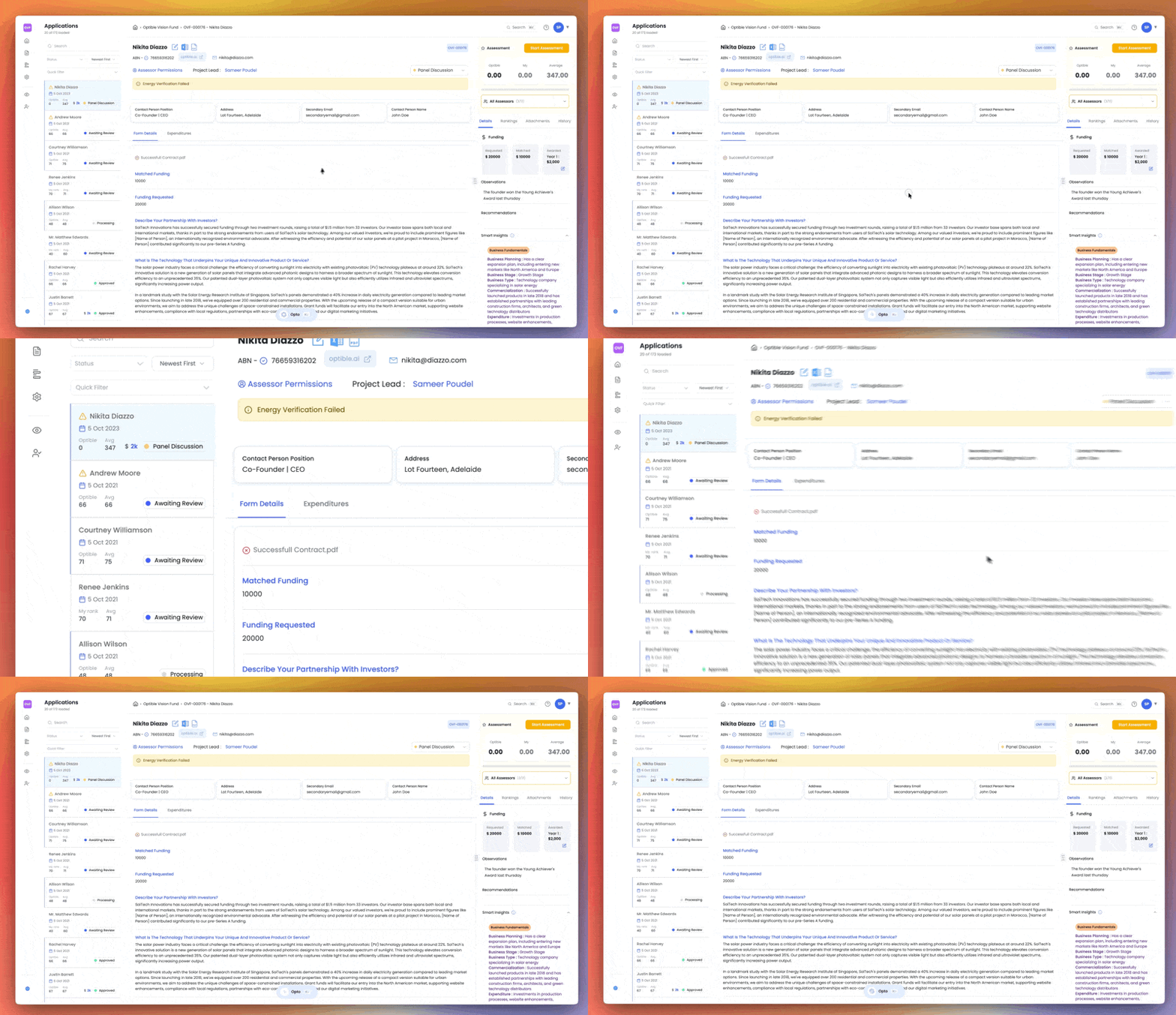
We've redesigned the Optible experience from the ground up. Every screen has been rethought to help you work faster, find what you need sooner, and stay focused during assessments.
Here's what's new.
A cleaner homepage
Your grants are now front and centre when you log in. If you manage multiple grants, they're all listed on the homepage. If you only have one, you'll skip straight to the application list with no extra clicks.
Everything related to your grant lives on the left-hand side, and your personal settings are grouped together in one place. Switching between grants is now just a click away from the sidebar.
Sidebar that actually makes sense
Forms, reports, and grant settings all sit together in the sidebar. Grant settings let you manage assessors, application stages, and more from a single location. These options used to be scattered across the platform, so we've brought them all under one roof.
Quick Actions panel
A new Quick Actions panel on the homepage surfaces what needs your attention. You'll see applications that haven't been ranked or assessed by you yet, anything assigned to you, and filters by status (group, collective, or individual).
Smarter quick filters
Pinned filters now appear in a dedicated quick filters area at the top of the application list, making them much easier to reach.
Visual cues for unranked applications
Any application you haven't ranked yet shows a blue border on the left side. At a glance, you can tell exactly which applications still need your input. Once you've ranked it, the border disappears.
Redesigned application detail page
The application detail page has been rebuilt. Warnings and important flags sit at the top of the page, and the form layout is much clearer.
Attachments are now embedded directly within the form. If a question references a document, you can view it inline in a side-by-side panel without switching tabs. You can also resize the panel, open the document in a new window, or download it directly.
Improved ranking and assessment view
Eligibility checklists and assessment criteria are now clearly separated. You can see rankings and average scores at a glance, and a reasoning tab shows Optible's reasoning in a table view so you can see how assessments compare across your team.
The All Assessors section shows who has assessed each application and how much they've contributed. A Details tab includes funding information, smart insights, observations, and recommendations.
Start Assessment mode
This is a brand new, immersive assessment experience. It strips away everything unnecessary and gives you a wider, focused view. You can see the criteria description, input your ranking, and watch scores update in real time as you go, making it easy to understand how your input affects the final outcome before you submit.
This update will be available to you shortly. If you have any questions or feedback, please reach out to our team.
You can watch our video here: https://go.optible.ai/ffI8ht
What's New
Salesforce Integration
Connect Optible directly to your Salesforce organisation for seamless bi-directional sync of applications, contacts, and grant data. Once connected, changes in either system automatically reflect in the other—no manual exports or imports required.
Applications submitted through Optible appear in Salesforce as leads, status updates flow both ways, and your team maintains a single source of truth across platforms.
SmartyGrants Integration
Import applications and grant data from SmartyGrants with standardised sync workflows. Connect your SmartyGrants account and Optible automatically backfills existing data, then maintains ongoing sync for new submissions and updates.
External Eligibility Validations
Automatically validate ABN, ACN, and Consumer Affairs registration during application submission. The system checks external registries and flags issues before applications enter your review queue, reducing manual verification work.
AI & Smart Insights
Add description field to Smart Insights categories for clearer, more targeted insights
Improved AI guidance quality and model capabilities
Enhanced context quality for conflict of interest observations
Integrations & Data Sync
Generate display IDs for multiple grants in a single request
Support for complex form structures in integrations
Improved cross-grant workflows for multi-program organisations
Automatic data backfill after connecting new integrations
Enhanced sync for funding disbursements and budget allocations
Criteria rankings now sync to external systems automatically
Smart Insights sync to connected platforms
Migrated ABR validation to improved endpoint for better reliability
Improvements
Backend & Performance
Automatic email sending when templates are enabled
Enhanced email scheduling with validation and audit trails
Improved reliability and automatic retries for data syncing
Better error handling across all sync operations
Cleaner service organisation for easier maintenance
Dashboard & Data Management
Bulk status changes to Rejected directly from application lists
Database
Enhanced ID system for better readability and performance
Support for repeatable form sections in responses
Improved tracking for scheduled emails
Better metadata storage for integration history
Editor & Form Builder
Prevent invalid field type combinations in repeatable sections
Visual preview of repeatable fields while building forms
Drag-and-drop for rearranging repeatable fields
Support for custom top-level domains in email fields
DOCX and Excel file validation
Frontend & Interface
Upload guidelines shown to applicants for required formats
One-click toggle for automatic email sending
Cleaner interface after validation improvements
Connection management dashboard showing sync status
Display average criteria rankings on application pages
Improved filter interface based on user feedback
Active filter summary to prevent mistakes
Email template variable preview
Better modal scrolling on all screen sizes
Date formatting improvements in list views
Search & Navigation
Quick "Jump to" search for any record
Maintain your position when returning to filtered lists
Settings
Centralised view of all validation rules
Enhanced Smart Insights category management
General
Status-based email triggering to prevent accidental sends
Full comment history in ranking summaries
Improved form submission handling for repeatable sections
System cleanup for better stability
Bug Fixes
Data & Syncing
Include submission timestamps and creator info in application lookups
Fixed handling of special characters in AI-generated insights
Preserved historical funding records during updates
Correct reviewer attribution in Salesforce sync
Forms & Validation
Fixed cached dropdown values showing outdated options
Email templates now accept both scheduled and status-triggered configs
Prevented duplicate text in textarea fields
🔗 Integrations
Salesforce Integration
Connect Optible directly to your Salesforce organisation for seamless bi-directional sync of applications, contacts, and grant data. Once connected, changes in either system automatically reflect in the other—no manual exports or imports required.
Applications submitted through Optible appear in Salesforce as leads, status updates flow both ways, and your team maintains a single source of truth across platforms.
SmartyGrants Integration
Import applications and grant data from SmartyGrants with standardised sync workflows. Connect your SmartyGrants account and Optible automatically backfills existing data, then maintains ongoing sync for new submissions and updates.
External Eligibility Validations
Automatically validate ABN, ACN, and Consumer Affairs registration during application submission. The system checks external registries and flags issues before applications enter your review queue, reducing manual verification work.
🎨 UI & Product Features
Faster Navigation
Navigate the product faster with a refined layout, clearer hierarchy, and predictable actions. You get consistent page headers, improved spacing, and a streamlined sidebar that keeps key actions within reach. Keyboard-friendly focus states and a new "Jump to" pattern help you move across records with less scrolling.
Reduce time spent hunting through menus and avoid context switching. Tune the experience to your preference and keep work moving during dense review or setup tasks.
Email Template Scheduling
Schedule emails directly from templates to plan outreach in advance. Add a schedule date and time, or switch to status-triggered sending for transactional messages. A clear toggle and preview help you confirm recipients, and you can limit a scheduled template to a single application status to prevent misfires.
Teams can now coordinate communication without spreadsheets or reminders. Update templates once and let the system manage timing.
Automatic Email Sending
Turn on automatic sending so scheduled emails go out without manual intervention. Once enabled, your templates send automatically based on your schedule or status triggers—no need to manually hit send each time. Keep manual control when you want to review before sending, or enable auto-send for reliable, hands-off communication.
Messages go out reliably and on time, freeing your team from reminder tasks.
Advanced Application Filters
Filter applications with more precision using expanded operators, multi-selects, and clearer feedback. You see a concise summary of active filters, can return to your filtered list after viewing a record, and keep context during long review sessions. Bulk actions, like moving groups to Rejected, work reliably from filtered results.
Find the exact subset you need and maintain momentum across repeated actions. Save time by reusing common views and reduce mistakes with visible filter context.
Readable Application IDs
Applications now display with human-readable IDs like "OPTIBLE-001" alongside internal identifiers. Sequential numbering per grant makes it easier to reference specific applications in conversations, reports, and external systems. The system automatically generates both ID types and maintains sequence counts.
Ranking Summary Enhancements
Ranking summaries now show system comments alongside reviewer feedback, giving you full context when comparing applications. Criteria matches and automated observations appear inline so you understand how scores were generated.
Dynamic Form Element Looping
Design repeatable sections in forms without custom code. Use the Form Builder to configure sections applicants can duplicate as needed—useful for team members, budget line items, or project milestones.
Improvements
AI & Smart Insights
Add description field to Smart Insights categories for clearer, more targeted insights
Improved AI guidance quality and model capabilities
Enhanced context quality for conflict of interest observations
Integrations & Data Sync
Generate display IDs for multiple grants in a single request
Support for complex form structures in integrations
Improved cross-grant workflows for multi-program organisations
Automatic data backfill after connecting new integrations
Enhanced sync for funding disbursements and budget allocations
Criteria rankings now sync to external systems automatically
Smart Insights sync to connected platforms
Migrated ABR validation to improved endpoint for better reliability
Backend & Performance
Automatic email sending when templates are enabled
Enhanced email scheduling with validation and audit trails
Improved reliability and automatic retries for data syncing
Better error handling across all sync operations
Cleaner service organisation for easier maintenance
Dashboard & Data Management
Bulk status changes to Rejected directly from application lists
Database
Enhanced ID system for better readability and performance
Support for repeatable form sections in responses
Improved tracking for scheduled emails
Better metadata storage for integration history
Editor & Form Builder
Prevent invalid field type combinations in repeatable sections
Visual preview of repeatable fields while building forms
Drag-and-drop for rearranging repeatable fields
Support for custom top-level domains in email fields
DOCX and Excel file validation
Frontend & Interface
Upload guidelines shown to applicants for required formats
One-click toggle for automatic email sending
Cleaner interface after validation improvements
Connection management dashboard showing sync status
Display average criteria rankings on application pages
Improved filter interface based on user feedback
Active filter summary to prevent mistakes
Email template variable preview
Better modal scrolling on all screen sizes
Date formatting improvements in list views
Search & Navigation
Quick "Jump to" search for any record
Maintain your position when returning to filtered lists
Settings
Centralised view of all validation rules
Enhanced Smart Insights category management
General
Status-based email triggering to prevent accidental sends
Full comment history in ranking summaries
Improved form submission handling for repeatable sections
System cleanup for better stability
Bug Fixes
Data & Syncing
Include submission timestamps and creator info in application lookups
Fixed handling of special characters in AI-generated insights
Preserved historical funding records during updates
Correct reviewer attribution in Salesforce sync
Forms & Validation
Fixed cached dropdown values showing outdated options
Email templates now accept both scheduled and status-triggered configs
Prevented duplicate text in textarea fields
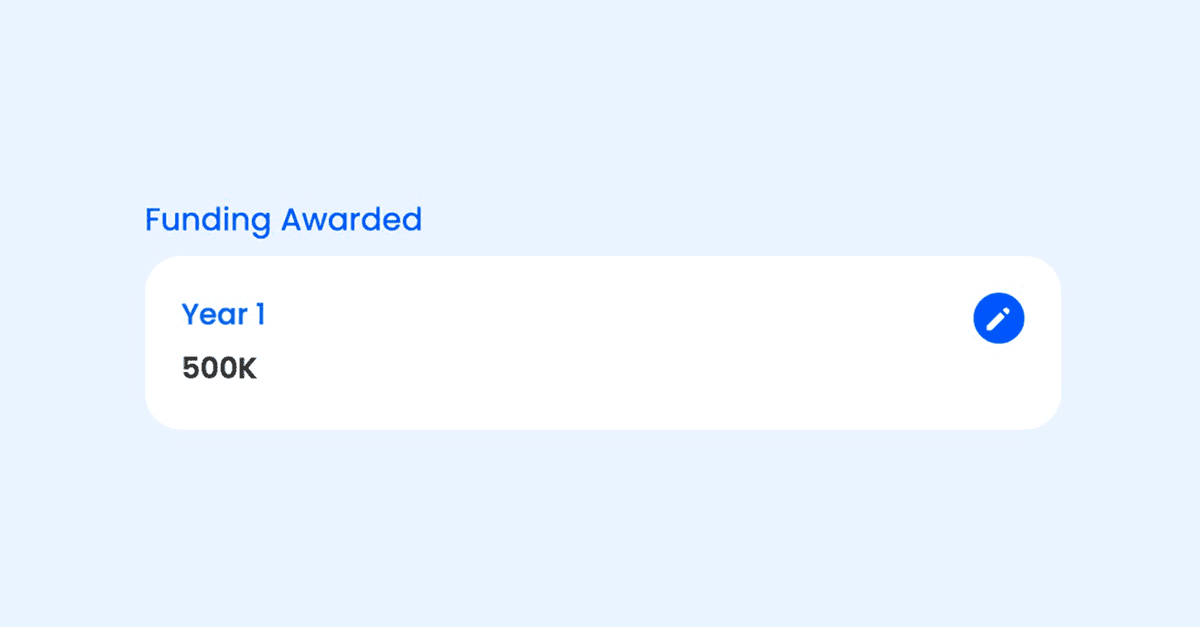
Sometimes, circumstances change after approval, funding needs adjustment. With this release, you can update awarded funding at any time: edit amounts, and always keep your records accurate.
✨ Coming Soon: New Integrations
We’ve got some exciting new integrations arriving very soon—stay tuned for details!
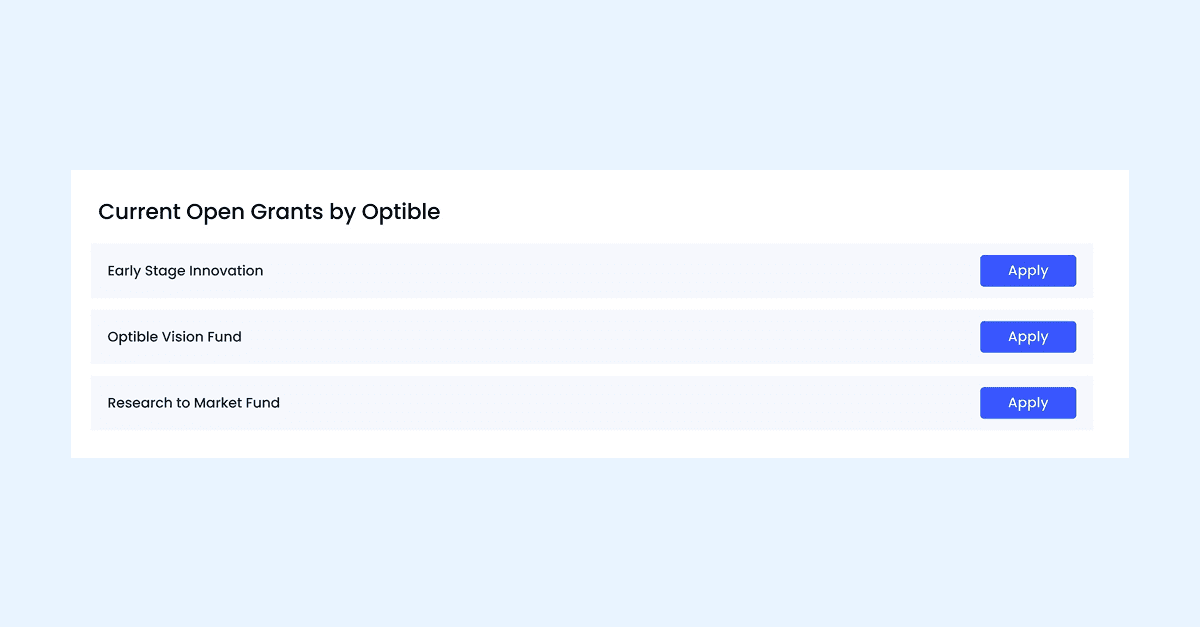
Applicants can now conveniently view and access all open grants they are eligible to apply for, directly from the applicant portal. This new feature provides a clear and organised list of available grants, making it easier for applicants to find opportunities and start the application process with just a few clicks.
Improvements
Enhanced the pagination style for a smoother browsing experience.
Fixed alignment issues on the applications list page for a cleaner look.
Updated user avatars for a more modern appearance.
Filters now only persist when using the breadcrumb to navigate back, making navigation more intuitive.
Fixed an issue where the search bar would not clear when switching between grants.
Resolved an issue where dropdown options could disappear on some forms.
Fixed duplicate results when using multiple filters in search.
Updating an average ranking now keeps previous comments intact.
Ensured form fields display correctly across all devices.
Logging out now works seamlessly without showing a technical issue page.
Introduced a new Application Sharing feature to enhance collaboration.
Upgraded Advanced Filtering with the ability to save and share filters across your organization.
Added Smart Insights enhancements including the ability to generate insights directly from attachments.
What's New
Improved Smart Insights functionality with:
Ability to generate insights from attachments.
User-configurable settings for insights categories.
Easier management of insight categories directly in the interface.
Enhanced Advanced Filtering:
Faster, more precise filtering experience.
Save filters for reuse without needing to recreate them.
Share saved filters across teams for better collaboration.
Cleaner, simpler filter interface.
Made various UI improvements for a better user experience:
Enhanced visibility for warnings.
Added client logos in key areas.
Smarter sidebar and navigation behavior.
Improved editor usability with a clickable writing area and better variable handling.
Improved the layout and functionality of forms:
Fixed issues with attachment handling.
Better formatting for monetary values.
Enhanced API functionalities to support additional features and endpoints.
Improvements
Enhanced the overall user interface for better navigation and usability.
Improved documentation and support resources for users.
More consistent styling and layout polish across the platform.
Added warnings for unsupported browsers to improve user guidance.
Bug Fixes
Resolved visibility issues for new assessors in the system.
Fixed CSS issues in modals and templates.
Addressed notification delivery problems to ensure timely alerts.
Corrected errors related to application submissions, including attachment handling.
Resolved pagination, quick action, and filtering bugs for smoother user interactions.
Fixed data fetching errors to ensure reliable record retrieval.
Improved stability and reliability across backend processes.
💰 New Balance Viewer
You can now easily track your approved amount and disbursed payments directly from the application details page, giving you greater clarity over your transactions.
📂 Better Payment Management
Choose your desired payment status for better tracking.
Attach invoices and supporting files to payments for easy reference.
✨ Enhancements & Fixes
More Space for Ranking: The sidebar now automatically hides when you start ranking, giving you more room for an improved workflow.
Enhanced Email Template Editor: Writing emails just got smoother with an improved template editor.
Improved Form Validation: Forms now display light warnings instead of errors when required fields need validation, making it easier to complete submissions.
These updates aim to improve your experience by making workflows smoother, more intuitive, and efficient. Thanks for being with us! 🚀
We’re thrilled to share some major updates that reinforce our commitment to security, efficiency, and a smoother user experience.
⸻
🔐 SOC 2 Type 2 Certification
Optible is now SOC 2 Type 2 Certified—a significant milestone in our dedication to security, reliability, and privacy. What is SOC 2 Type 2? SOC 2 is a globally recognised standard for managing customer data. Achieving Type 2 certification means we’ve passed an independent audit of our systems and processes over an extended period, not just at a single moment.
What This Means for You:
🔒 Your data is protected with audited security controls
🕒 Our systems are reliable, monitored, and resilient
🛡️ Internal processes—from access controls to backups—meet enterprise-grade standards
You can trust that your information is safe and your experience remains stable.
⸻
📊 All-New Dynamic Reports
Explore your data like never before with our Dynamic Reports Viewer. Enjoy flexible, fast, and insightful charts and tables powered by saved live queries. 👉 Want to add custom reports for your team? Just hit reply!
⸻
🧠 AI-Assisted Comments & Summaries (Coming Soon)
We’re developing an AI feature that automatically generates summary notes and comments, reducing double handling and speeding up assessments. 👉 Interested in early access or have ideas? Simply reply to this email.
⸻
🛡️ Granular Permission System Now Live
Say goodbye to one-size-fits-all roles. Our new permission-based system lets you:
Assign permissions at the user or grant level
Define internal-only criteria and workflows
Tailor access with precision
This update provides greater control for admins and clearer access for teams.
⸻
✨ Other Enhancements & Fixes
✅ Form Improvements: Word count and attachment issues are now fixed.
🔍 Smarter Search: Enjoy more accurate multi-word and partial matches.
🧰 Advanced Filters: Cleaner layout, improved tooltips, and saved filter support.
🧩 Excel Exports: Enhanced formatting for multi-year and column-heavy reports.
🖱️ UI Fixes: Dropdowns, tooltips, and modals are all working seamlessly.
🧭 Ranking Sidebar: Auto-collapses to give you more focus when assessing.
🛠️ Polish: Added required field indicators, layout tweaks, and more.
Major Updates
Post-Success Reports Enhancements:
Enabled adhoc sending of Post-Success Reports.
Updated display to show forms without values when awaiting responses.
Improved behaviour to show the section in Outcomes and Archived stages, not just Finalised status.
Fixed issues with approval/rejection not refreshing the section.
Forms and UI Improvements:
Resolved style and alignment issues across forms and UI components, including modals, dropdowns, and headers.
Fixed form functionality, ensuring save/submit actions and draft behaviour are consistent.
Adjusted criteria ranking modal and form builder for better user experience.
Application Management Enhancements:
Optimised application search performance.
Improved application status display, including draft handling and archived applications visibility.
Enhanced email transparency and added comment options for COI declarations.
Platform-Wide Fixes:
Resolved general CSS, alignment, and UI bugs across multiple sections
Standardised icons, dropdowns, and style elements for better consistency.
Performance and Optimisation:
Improved query handling for faster performance.
Enhanced template validation to prevent export issues.
Minor Updates
Bug Fixes:
Addressed overlapping elements and visibility issues
Fixed issues with incorrect status mapping and missing buttons in multipage forms.
Feature Adjustments:
Enabled pre-validation for better data handling in exports.
Styling Adjustments:
Unified styles for headers and list views.
Improved UI for dragging, downloading, and input fields.
Summary
The release focuses on improving Post-Success Reports, forms functionality, application management, and platform-wide stability, alongside minor bug fixes and performance enhancements.
🚀 Major Updates
SOC 2 Type 1 Certification
Optible is now officially SOC 2 Type 1 Certified, demonstrating our commitment to the highest standards of data security and operational excellence.
🛠️ Feature Enhancements
Application Edit Ability
Applications can now be amended even after submission, simplifying the process for users.
Improved Application Sorting
Added a submitted date field for better internal sorting of applications by their actual submission time.
Previously, applications were sorted by creation date, including drafts, which caused sorting inconsistencies.
Release of Archives
Introduced the ability to archive applications, separating open applications from closed applications for improved organisation.
Enhanced Filtering and Clickable Charts
Applications can now be filtered by Stages in addition to Status.
Clickable charts make filtering applications more intuitive and efficient.
Criteria Ranking Improvements
Ranking sliders now display names instead of photos for a quicker, more user-friendly overview.
✨ Applicant Experience Improvements
New Applicant Onboarding
A new start page prompts applicants to create an account before starting an application, making it easier to manage draft applications.
Draft Application Alerts
Applicants trying to start a new application with the same email will now be notified of an existing draft and prompted to resume it, reducing the chances of losing draft applications.
📊 Progress Report
Initiated work on the progress report, incorporating feedback from Cody.
Minor improvements are in progress and will be ready for testing by next week.